
Borrowers make a reservation for a Book Club in a Bag in MyTurn Reservations rather than in the Library's online catalog. If you have never made a reservation before, these directions can help you get started.
You will need your Library card number and PIN to make a reservation. After looking through these directions, click Browse and Reserve Book Club in a Bag to make your selection(s)!
Need help? Ask a Library staff member at any of our locations or call, text or email Ask-a-Librarian.

Login Using Your Library Card Number and PIN
The Log In prompt is located in the upper right corner. To look for a particular book, simply enter the title in the search box. If you would like to browse, you can select one or more categories to narrow down to a list of choices of interest to your book club. Select "Available now" if you don't want to wait, and only want to see the choices that are immediately available.
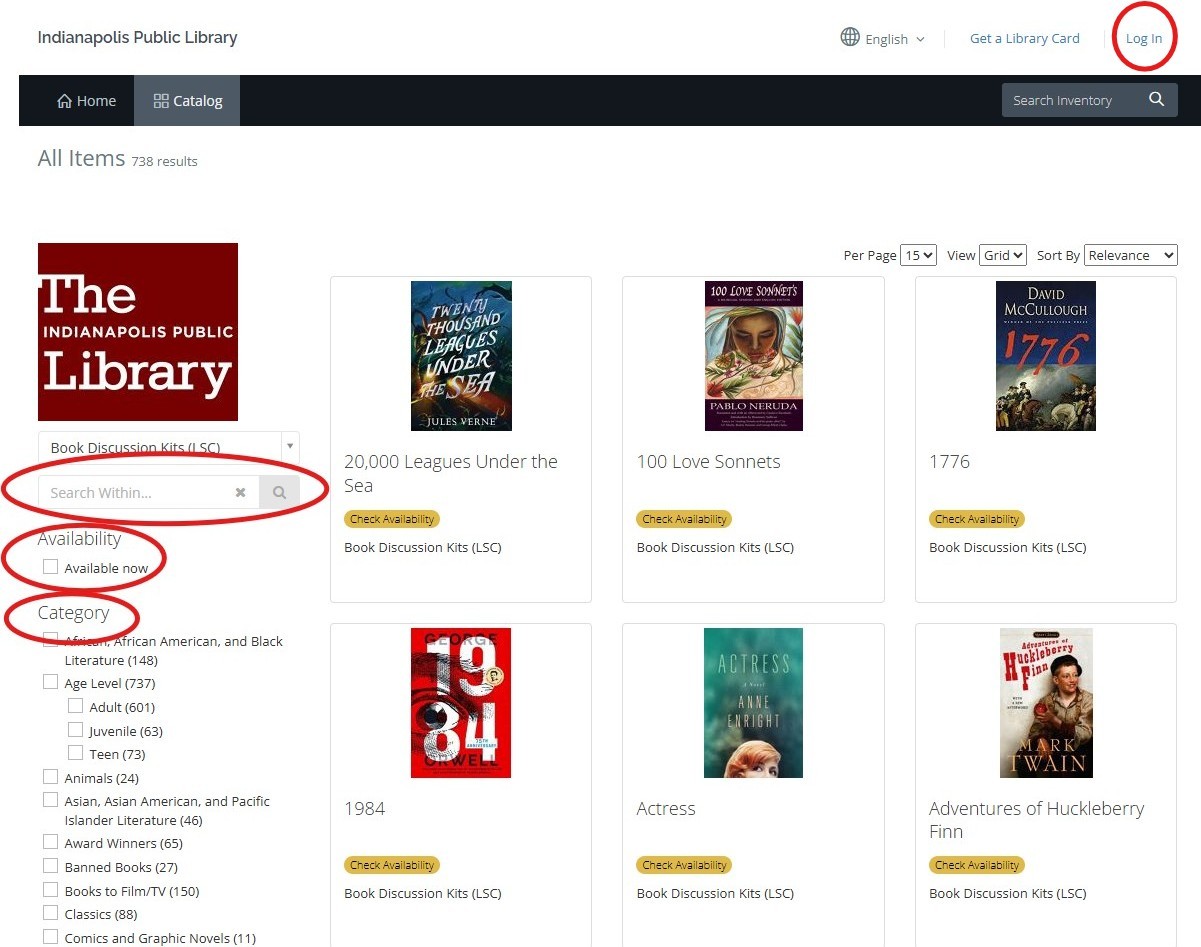
Make a Book Club in a Bag Selection
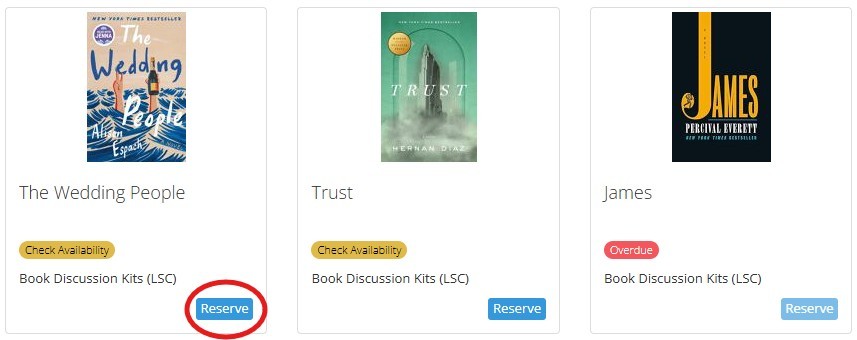
Once you see a Book Club in a Bag kit you would like to borrow, click "Reserve."
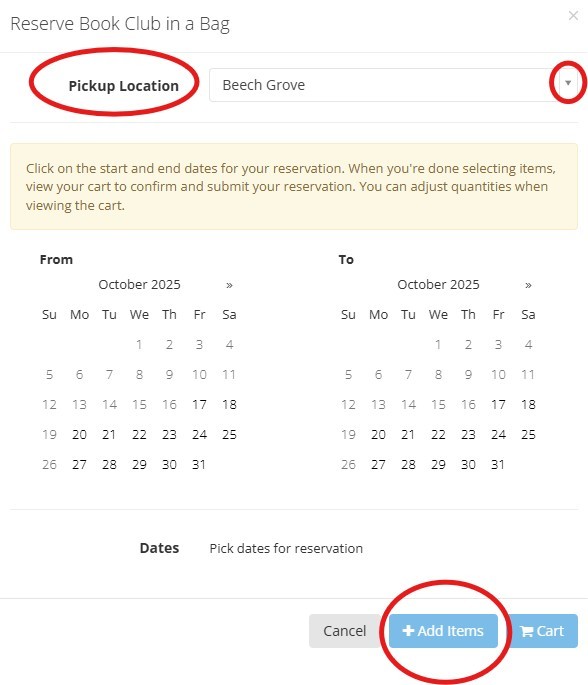
Set Your Pickup Location and Reservation Dates
Use the dropdown menu to select the location you would like to go to in order to pick up your Book Club in a Bag kit. You will then select the dates you would like to reserve the kit.When you are finished, click "+Add items." This will add the reservation to your cart.
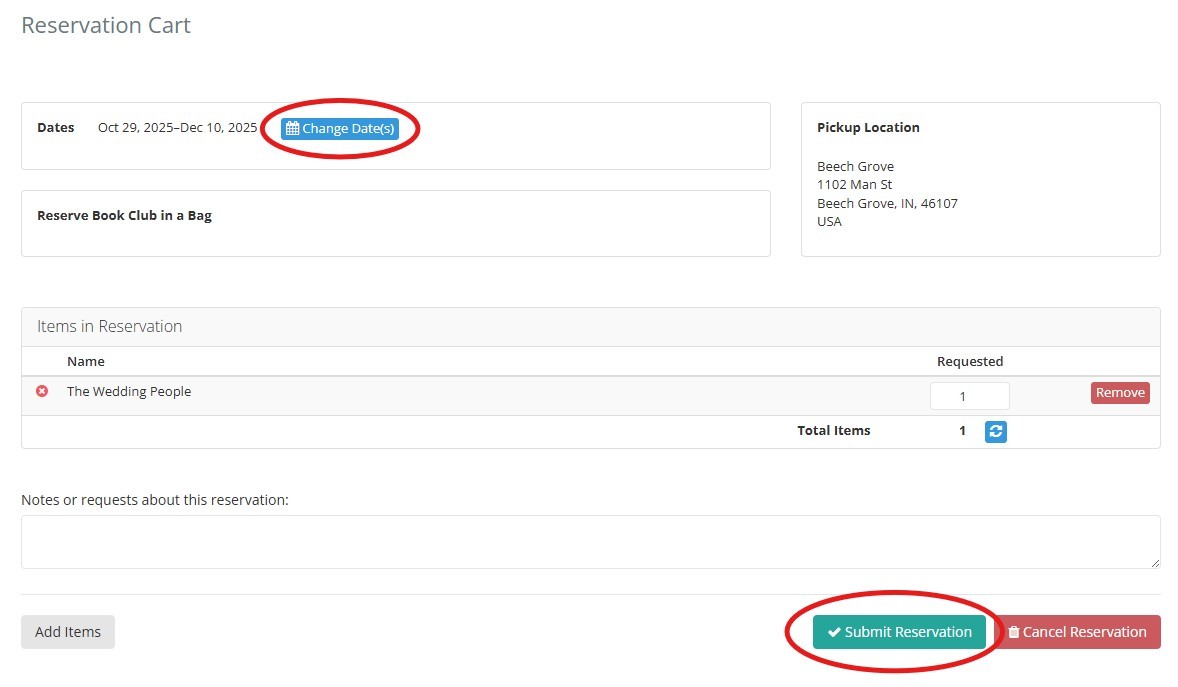
Verify Your Selections and Submit Your Request
Click on the cart icon at the top of the page to open your request and submit your reservation. At this point you can double check all of the details to make sure your reservation is correct. You can still change the reservation dates of you'd like. Once you confirm the information is correct, click "Submit Reservation."
You’ll receive an email notification when your item is ready for pickup. Pick up your item at the checkout desk of your selected location.
Returning a Book Club in a Bag
Return items inside at the same branch you checked it out. Do not use the book drop for returns.
Would you like to learn more? See Book Club in a Bag for more information and an FAQ.