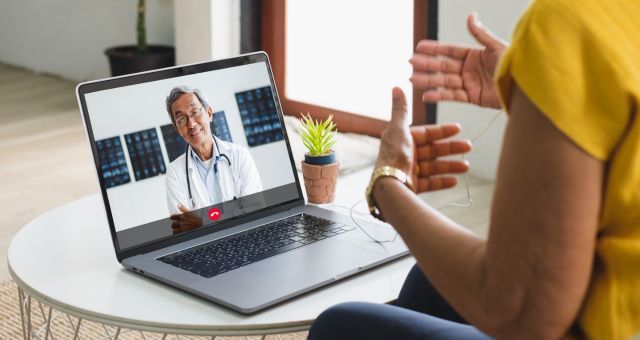
These laptops must be checked out to your Library card and must be returned before you leave the building.
Examples of approved uses are:
- Virtual meetings
- Telehealth appointments
- Job interviews
These laptops are intended for specialized use and are not available for gaming or general computer use.
Eligibility
To borrow a laptop, you must:
- Be at least 18 years old.
- Present your Indianapolis Public Library card and Photo ID at time of checkout. Learn how to get a Library card.
- Have a non-expired Library account with a balance less than $25.00 or have a current monthly payment plan.
- Read and sign an In-House Laptop Acceptable Use Agreement.
Staff may deny laptop use if eligibility requirements are not met.
Laptop Reservations
To reserve a laptop, please visit or call your library branch. A staff member will be able to assist you with a reservation. You may reserve a laptop up to 7 days in advance of your appointment
- Laptop use is limited to 2 hours per checkout.
- Laptops may not be left unattended at any time. Laptops that are damaged or removed from the library will result in a replacement fee equal to the purchase price of the laptop.
- Reserving a laptop does not guarantee that a study room will be available. If you would like to use the laptop in a study room, you will need to reserve a study room also. To reserve a study room please visit book a study room.
- If you are not using the laptop in a study room, staff will direct you to a designated laptop use area. These spaces are not guaranteed to be private and require headphone use. Earbuds may be purchased at the circulation desk for $2.00.
- Wireless Printing is available.
- Laptops reset after use; any saved files will be permanently deleted after you return the laptop. Save your files to a personal storage device or cloud account before returning the laptop. Flash drives may be purchased at the circulation desk at cost.
To ensure laptops remain available for patrons who need them, misuse may result in supension of future borrowing privileges.
Before Your Appointment
Review your appointment requirements and be sure to mention these details to staff before booking. Some requests may require additional review. Not all software or technology can be supported on library laptops.
Preparing for your appointment may include:
- Knowing what software, applications, websites, or equipment you need to access.
- Having you login credentials (usernames and passwords) available
- Having access to your email account
- Access to meeting links or information needed to join your appointment
Library staff may not be available to assist during your appointment, so preparation is encouraged.
Laptop Specifications
- 13-inch screen
- Built-in webcam and microphone
- Bluetooth capability
- Laptops have common software applications installed including the web browsers Google Chrome and Microsoft Edge, the Microsoft Office Suite, and the video conferencing applications Microsoft Teams and Zoom.